Click Here to Access Your Portal
Note: Froedtert ThedaCare Health, Inc. members do not yet have access to paperless communication options. For questions, please call the Network Health Member Experience phone number on the back of your member ID card.
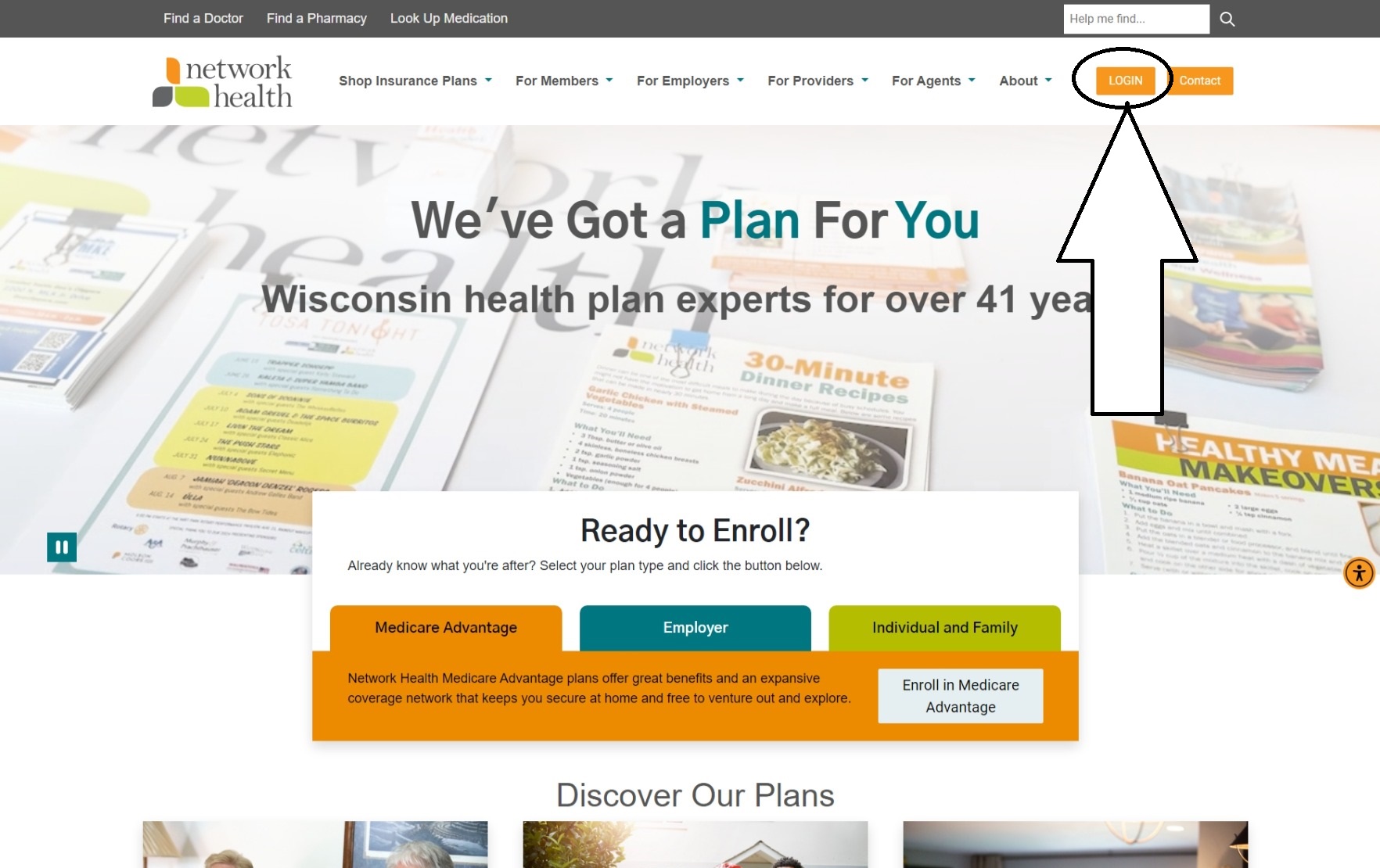
1. To start, click here to access the member portal, using the login and password you normally would to check your information. If you don't have a member portal, you can create one with your member ID.
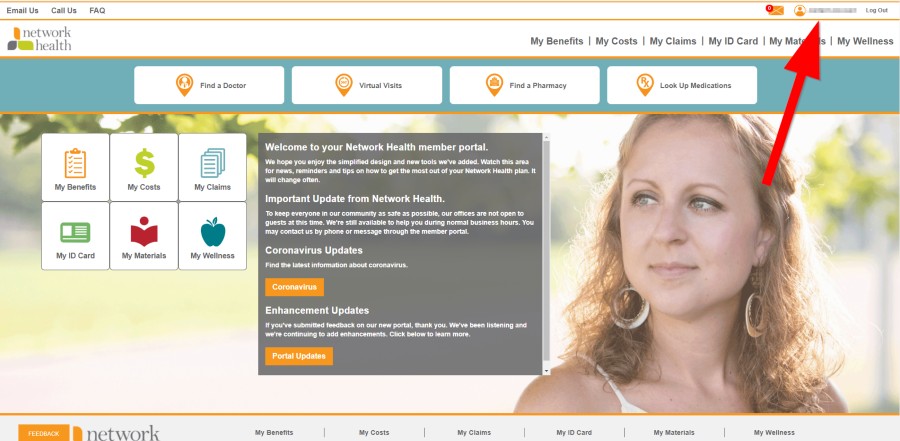
2. Click your name at the top right to access your account settings or click the Go Paperless button on the left of the screen.
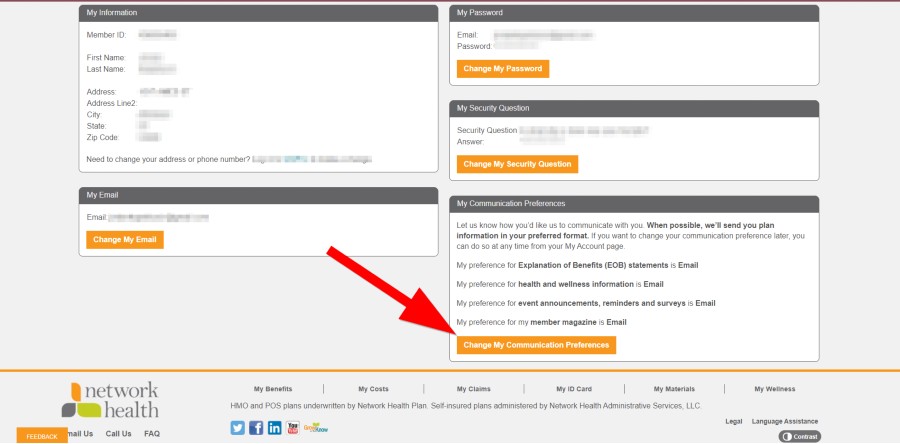
3. Near the bottom of the page, click "Change My Communication Preferences."
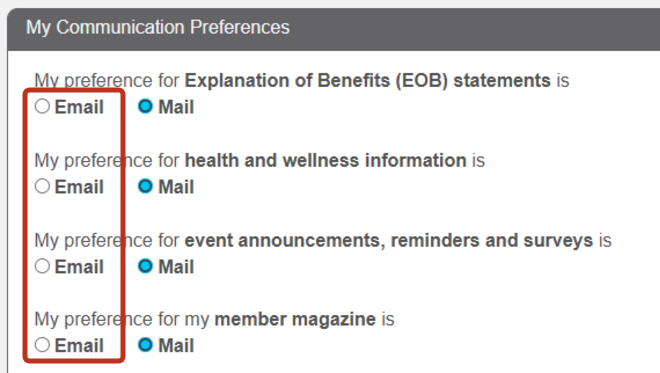
4. Check "Email" for electronic delivery, then click Next.
Or call the number on the back of your Network Health member ID card.